



















Overview: What PAI Is · Principles · Features
Get Started: Installation · Releases · Packs
Resources: FAQ · Roadmap · Community · Contributing
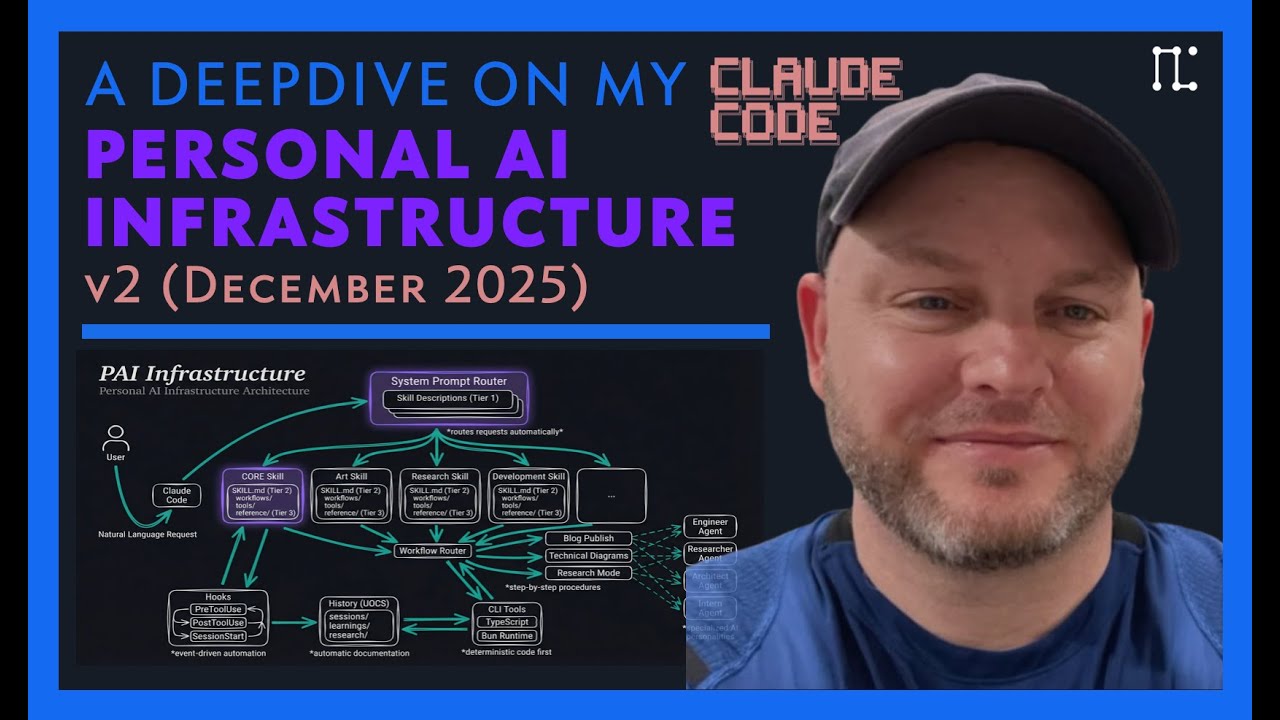
Watch the full PAI walkthrough | Read: The Real Internet of Things
Important
PAI v5.0.0 — Life Operating System — the biggest release in PAI history. PAI is no longer "AI scaffolding" — it's a Life Operating System with the unified Pulse daemon (Life Dashboard at localhost:31337), a DA (Digital Assistant) identity layer, Algorithm v6.3.0 (Current State → Ideal State, seven phases, classifier-driven mode + tier), the ISA primitive (universal "ideal state" articulation), 45 skills, 171 workflows, 37 hooks, and structural privacy via containment zones.
v5.0.0 release notes → | All releases →
One-line install: curl -sSL https://ourpai.ai/install.sh | bash
Upgrading from v4.x? This is a different system, not a patch. Read the migration guide first.
PAI is a Life Operating System. It captures who you are, what you care about, and where you're trying to go — and then helps you get there using AI that knows you. Three layers stack on top of each other:
- PAI — the OS itself. Skills, memory, the Algorithm, your Telos, your identity files.
- Pulse — the Life Dashboard at
localhost:31337. Where you actually see your state, goals, and work. - The DA — your Digital Assistant. The voice and personality you talk to.
It's designed for individuals first, but the same architecture works for teams, companies, or any entity that wants to articulate what it's trying to be and move toward it.
PAI puts the human at the center, not the tooling. The tech exists to improve people's lives, not the other way around. Every design decision starts from one question: what does this do for the person running it?
PAI captures what you care about — goals, work, relationships, health, finances — and helps you pursue your ideal state across all of it. It writes code and runs agents and does the things people associate with AI tooling, but those are capabilities in service of the larger goal. The point is your life, not the tools.
The biggest unsolved problem with AI is that nobody can define what "good" or "done" actually means for a given task. PAI is built around the concept of Ideal State — specifically the transition from your current state to your ideal state — and it's woven through every layer.
The primary expression is the ISA (Ideal State Artifact). An ISA is similar to a software PRD: it captures what done looks like so you can build toward it. The difference is that an ISA is general — it works for any creative task, from design to art to philosophy to engineering to strategy. The system decomposes the ideal state into discrete ISCs (Ideal State Criteria), which populate the document and double as verification items. That's how PAI hill-climbs toward ideal state on any kind of work.
I wrote about this in 2016 in The Real Internet of Things, and I'm more convinced now than I was then. The trajectory is clear: chatbots → agents → assistants. We're all building the same thing, and the endpoint is one DA per person.
TRIOT had four core ideas that PAI is built on:
- Digital Assistants — one DA per person, your primary interface to all AI
- Everything gets an API — every product, service, person, and place becomes addressable
- Your DA dynamically creates your interfaces — no more apps and dashboards; the DA assembles whatever you need in the moment
- You define your ideal state, AI helps you get there — the whole system points at your Telos
This is what PAI is reaching for.
Heavy bias toward plain text and Markdown. PAI avoids SQLite, Postgres, and other opaque stores wherever possible. Everything should be transparent and parsable — by you, by your DA, by rg, by anything else. If you can't read it with cat, we don't want it.
The mistake most people make with AI is failing to feed it the big picture. PAI is fundamentally a system for handing the smartest models the right context — about you, about what you're trying to accomplish, about the tools they have — so they can actually help you reach your ideal state. The model matters less than what surrounds it.
The flip side of context scaffolding: as models get stronger, they need fewer instructions on how to do the work. We constantly audit PAI to remove overly prescriptive direction in places where the model can do better with just the right context and tools. The system gets smaller as the models get bigger.
PAI has avoided RAG since June 2025. Rich text with cross-references, plus fast search like ripgrep, gives us everything people normally want from RAG — without the embedding complexity, the retrieval flakiness, or the loss of fidelity. Your filesystem is the index.
A text-based memory system that captures what you've done, what you've learned, and what's worth keeping — and feeds it back as input to future work. Three tiers (WORK, KNOWLEDGE, LEARNING) plus a typed graph across people, companies, ideas, and research.
PAI captures signals about what went well and what didn't — explicit ratings, sentiment, verification outcomes, satisfaction — and uses them to improve itself. The system that runs the work is also the system that gets better at running it.
A custom algorithm that drives the current → ideal state transition through a seven-phase loop modeled on the scientific method, using Deutsch's framing of hard-to-vary explanations as the standard for "good." It's the gravitational center of PAI — every non-trivial task runs through it.
A skill system biased toward deterministic code execution. The hierarchy is: code → CLI to run the code → workflows that prompt the CLI → a SKILL.md that routes between workflows. The skill is the container; SKILL.md is the front door; the actual work is real code wherever possible. Prompts wrap code; code doesn't wrap prompts.
A meaningful library of custom thinking skills — first principles, council debates, red team, root cause, systems thinking, iterative depth, aperture oscillation, and more — that the Algorithm pulls from to raise the quality of decisions across the system.
Caution
Project in Active Development — PAI is evolving rapidly. Expect breaking changes, restructuring, and frequent updates.
We very much believe in AI-based installation and modification of PAI. Once you have a working install, point your AI at the system itself — upgrade versions, add skills, modify hooks, change settings, repair anything that breaks. The most important thing your AI can do for you up front is bring all of your existing custom context — notes, project state, preferences, identity, history — into the PAI/USER/ directory so PAI knows who you are from day one. Tell your DA: "Help me migrate my context into PAI/USER/." The system was designed to be operated by AI; lean on it.
curl -sSL https://ourpai.ai/install.sh | bashThat's it. The installer wizard handles Bun, Git, and Claude Code verification, ElevenLabs key (optional), DA identity setup, voice picker, Pulse launchd registration, and validation. An existing ~/.claude/ is auto-backed-up to ~/.claude.backup-{TIMESTAMP} before anything is overwritten.
Prefer to inspect first? Read the script before piping it.
git clone https://github.com/danielmiessler/Personal_AI_Infrastructure.git
cd Personal_AI_Infrastructure/Releases/v5.0.0
cp -R .claude ~/
cd ~/.claude && ./install.sh
The installer will:
- Verify Bun, Git, and Claude Code are installed
- Prompt for your ElevenLabs API key (skippable — voice falls back to desktop notifications)
- Launch the DA identity wizard (name + voice + personality)
- Set up Pulse as a launchd service (
com.pai.pulse) - Run validation
open http://localhost:31337 # the Life DashboardThen run /interview in Claude Code. Your DA will guide you through:
- Phase 1 — TELOS: Mission, Goals, Beliefs, Wisdom, Challenges, Books, Mental models, Narratives
- Phase 2 — IDEAL_STATE: What does success look like for you?
- Phase 3 — Preferences: Tools, conventions, working style
- Phase 4 — Identity: Final DA personality tuning
This is the most important step. Without TELOS, your DA has nothing to optimize against.
Important
v5.0.0 is a different system, not a patch. Read the full migration guide before installing.
Quick path:
# 1. Back up your existing installation
cp -R ~/.claude ~/.claude.backup-$(date +%Y%m%d)

# 2. Install v5.0.0 (one-liner above) or via manual clone
curl -sSL https://ourpai.ai/install.sh | bash

# 3. Open the Life Dashboard and run the interview
open http://localhost:31337
If you had personal content in v4.x (notes, project state, custom rules), tell your DA: "Help me migrate my old content into the PAI/USER/ structure." The Migrate skill intakes from .md/.markdown/.txt, Obsidian, Notion, Apple Notes — classifies each chunk against the v5 taxonomy (TELOS, KNOWLEDGE, PROJECTS, FEED, etc.) and commits with provenance.
Post-upgrade checklist:
- Pulse is alive:
curl -s http://localhost:31337/api/pulse/health | jq - Voice announces:
curl -s -X POST http://localhost:31337/notify -H "Content-Type: application/json" -d '{"message": "Hello from your DA"}' - Dashboard renders:
open http://localhost:31337 - DA identity populated in
PAI/USER/DA_IDENTITY.md - TELOS captured under
PAI/USER/TELOS/
Packs are standalone, AI-installable capabilities you can add to any AI coding harness without installing PAI. Each pack is a self-contained prompt your DA can read and execute — point it at the pack directory and say "install this," and it handles the rest.
PAI is built natively on Claude Code and designed to stay that way. We chose Claude Code because its hook system, context management, and agentic architecture are the best foundation available for personal AI infrastructure.
PAI isn't a replacement for Claude Code — it's the layer on top that makes Claude Code yours:
- Persistent memory — Your DA remembers past sessions, decisions, and learnings
- Custom skills — Specialized capabilities for the things you do most
- Your context — Goals, contacts, preferences—all available without re-explaining
- Intelligent routing — Say "research this" and the right workflow triggers automatically
- Self-improvement — The system modifies itself based on what it learns
Think of it this way: Claude Code is the engine. PAI is everything else that makes it your car.
Claude Code provides powerful primitives — hooks, slash commands, MCP servers, context files. These are individual building blocks.
PAI is the complete system built on those primitives. It connects everything together: your goals inform your skills, your skills generate memory, your memory improves future responses. PAI turns Claude Code's building blocks into a coherent personal AI platform.
PAI is Claude Code native. We believe Claude Code's hook system, context management, and agentic capabilities make it the best platform for personal AI infrastructure, and PAI is designed to take full advantage of those features.
That said, PAI's concepts (skills, memory, algorithms) are universal, and the code is TypeScript and Bash — so community members are welcome to adapt it for other platforms.
Fabric is a collection of AI prompts (patterns) for specific tasks. It's focused on what to ask AI.
PAI is infrastructure for how your DA operates—memory, skills, routing, context, self-improvement. They're complementary. Many PAI users integrate Fabric patterns into their skills.
Recovery is straightforward:
- Back up first — Before any upgrade:
cp -r ~/.claude ~/.claude-backup-$(date +%Y%m%d) - USER/ is safe — Your customizations in
USER/are never touched by the installer or upgrades - Settings merge, not overwrite — The installer only updates identity and version fields; your hooks, statusline, and custom config are preserved
- Git-backed — Version control everything, roll back when needed
- History is preserved — Your DA's memory survives mistakes
- DA can fix it — Your DA helped build it, it can help repair it
- Re-install — Run the installer again; it detects existing installations and merges intelligently
| Feature | Description |
|---|---|
| Local Model Support | Run PAI with local models (Ollama, llama.cpp) for privacy and cost control |
| Granular Model Routing | Route different tasks to different models based on complexity |
| Remote Access | Access your PAI from anywhere—mobile, web, other devices |
| Outbound Phone Calling | Voice capabilities for outbound calls |
| External Notifications | Robust notification system for Email, Discord, Telegram, Slack |
GitHub Discussions: Join the conversation
Community Discord: PAI is discussed in the community Discord along with other AI projects
Twitter/X: @danielmiessler
Blog: danielmiessler.com
We welcome contributions! See our GitHub Issues for open tasks.
- Fork the repository
- Make your changes — Bug fixes, new skills, documentation improvements
- Test thoroughly — Install in a fresh system to verify
- Submit a PR with examples and testing evidence
MIT License - see LICENSE for details.
Anthropic and the Claude Code team — First and foremost. You are moving AI further and faster than anyone right now. Claude Code is the foundation that makes all of this possible.
IndyDevDan — For great videos on meta-prompting and custom agents that have inspired parts of PAI.
fayerman-source — Google Cloud TTS provider integration and Linux audio support for the voice system.
Matt Espinoza — Extensive testing, ideas, and feedback for the PAI 2.3 release, plus roadmap contributions.

PAI is free and open-source forever. If you find it valuable, you can sponsor the project.
- The Real Internet of Things — The vision behind PAI
- AI's Predictable Path: 7 Components — Visual walkthrough of where AI is heading
- Building a Personal AI Infrastructure — Full PAI walkthrough with examples
📜 Update History
v5.0.0 (2026-04-30) — Life Operating System
- Pulse — unified daemon (port 31337): voice, hooks, observability, cron, Life Dashboard (22 routes), wiki API, optional Telegram/iMessage bridges. Replaces every previous loose service.
- The DA — Digital Assistant identity layer. PRINCIPAL_IDENTITY + DA_IDENTITY pair, loaded at session start.
/interviewwalks you through naming your DA, picking a voice, capturing TELOS. - Algorithm v6.3.0 — seven-phase loop (OBSERVE → THINK → PLAN → BUILD → EXECUTE → VERIFY → LEARN). Sonnet-backed mode classifier picks MINIMAL/NATIVE/ALGORITHM and tier (E1–E5) per prompt. Closed-list thinking capabilities. Voice phase announcements. Verification doctrine (live-probe, advisor calls at commitment boundaries, cross-vendor audit at E4/E5).
- The ISA — Ideal State Artifact primitive. One document, twelve sections (Problem → Vision → Out of Scope → Principles → Constraints → Goal → Criteria → Test Strategy → Features → Decisions → Changelog → Verification), five identities (articulation, test harness, build verification, done condition, system of record). Owned by the ISA skill (Scaffold, Interview, CheckCompleteness, Reconcile, Seed, Append) with a dozen reference examples spanning E1–E5.
- Containment + release tooling — privacy is structural.
containment-zones.tsdeclares every directory's privacy zone;ContainmentGuardPreToolUse hook blocks cross-zone leaks; 12 security gates run on every public release; two-stage release (stage → publish) never auto-chains. - Memory v7.6 — structured by purpose: WORK (active task ISAs), KNOWLEDGE (typed graph: People, Companies, Ideas, Research, Blogs), LEARNING (meta-patterns), RELATIONSHIP (DA-Principal notes), OBSERVABILITY (every tool call + hook firing + satisfaction signal), STATE (session registry).
- 45 public skills, 171 workflows, 37 hooks — skills are self-activating composable domain units; hooks fire across SessionStart, UserPromptSubmit, PreToolUse, PostToolUse, Stop, SubagentStop, PreCompact, SessionEnd.
- One-line installer —
curl -sSL https://ourpai.ai/install.sh | bash. Auto-backs-up existing~/.claude/, runs the DA identity wizard, registers Pulse as a launchd service, validates. - Full release notes + migration guide
v4.0.3 (2026-03-01) — Community PR Patch
- JSON array parsing fix in Inference.ts
- 29 dead references removed from CONTEXT_ROUTING.md
- WorldThreatModelHarness PAI_DIR portability
- User context migration for v2.5/v3.0 upgraders
- Release Notes
v4.0.2 (2026-03-01) — Bug Fix Patch
- 13 surgical fixes: Linux compatibility, installer, statusline, hooks
- Cross-platform OAuth token extraction, GNU coreutils tr fix
- Inference guard (~15s savings), lineage tracking, dead code removal
- Release Notes
v4.0.1 (2026-02-28) — Upgrade Path & Preferences
- Upgrade documentation with backup, merge, and post-upgrade checklist
- Configurable temperature unit (Fahrenheit/Celsius) in statusline and installer
- FAQ fixes: removed stale Python reference, improved recovery guidance
- Release Notes
v4.0.0 (2026-02-27) — Lean and Mean
- 38 flat skill directories → 12 hierarchical categories (-68% top-level dirs)
- Dead systems removed: Components/, DocRebuild, RebuildSkill
- CLAUDE.md template system with BuildCLAUDE.ts + SessionStart hook
- Algorithm v3.5.0 (up from v1.4.0)
- Comprehensive security sanitization (33+ files cleaned)
- All version refs updated, Electron crash fix
- 63 skills, 21 hooks, 180 workflows, 14 agents
- Release Notes
v3.0.0 (2026-02-15) — The Algorithm Matures
- Algorithm v1.4.0 with constraint extraction and build drift prevention
- Persistent PRDs and parallel loop execution
- Full installer with GUI wizard
- 10 new skills, agent teams/swarm, voice personality system
- 38 skills, 20 hooks, 162 workflows
- Release Notes
v2.5.0 (2026-01-30) — Think Deeper, Execute Faster
- Two-Pass Capability Selection: Hook hints validated against ISC in THINK phase
- Thinking Tools with Justify-Exclusion: Opt-OUT, not opt-IN for Council, RedTeam, FirstPrinciples, etc.
- Parallel-by-Default Execution: Independent tasks run concurrently via parallel agent spawning
- 28 skills, 17 hooks, 356 workflows
- Release Notes
v2.4.0 (2026-01-23) — The Algorithm
- Universal problem-solving system with ISC (Ideal State Criteria) tracking
- 29 skills, 15 hooks, 331 workflows
- Euphoric Surprise as the outcome metric
- Enhanced security with AllowList enforcement
- Release Notes
v2.3.0 (2026-01-15) — Full Releases Return
- Complete
.claude/directory releases with continuous learning - Explicit and implicit rating capture
- Enhanced hook system with 14 production hooks
- Status line with learning signal display
- Release Notes
v2.1.1 (2026-01-09) — MEMORY System Migration
- History system merged into core as MEMORY System
v2.1.0 (2025-12-31) — Modular Architecture
- Source code in real files instead of embedded markdown
v2.0.0 (2025-12-28) — PAI v2 Launch
- Modular architecture with independent skills
- Claude Code native design
Built with ❤️ by Daniel Miessler and the PAI community
Augment yourself.