
A powerful collection of debug visualizers for Visual Studio with beautiful formatting and syntax highlighting


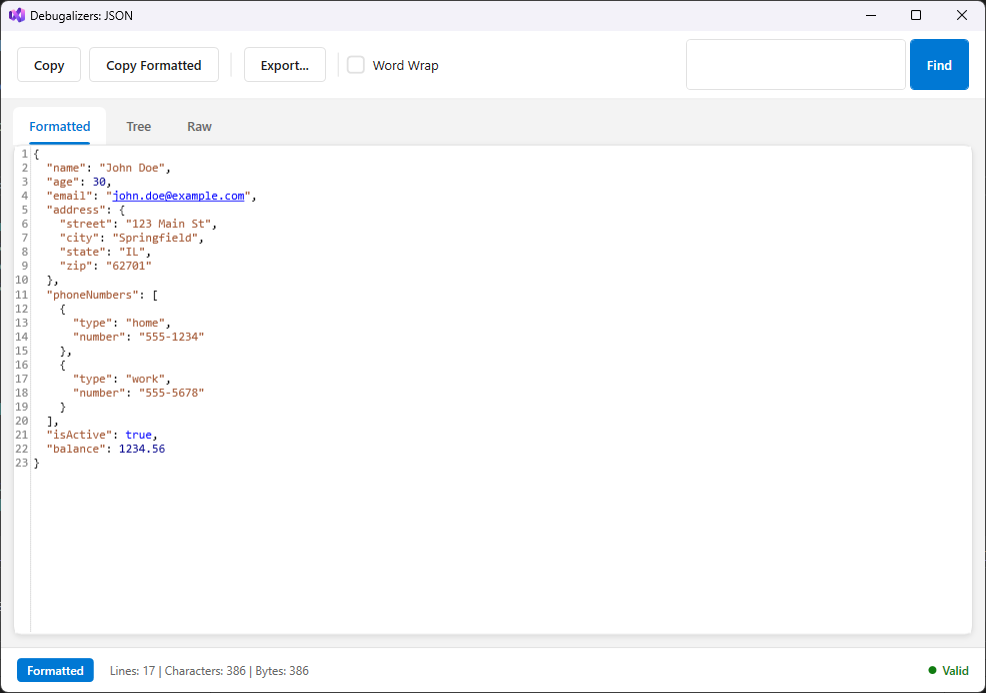
The new modern Debugalizers interface
Note: The screenshots below were captured before the UI overhaul. The updated interface shown above features a modernized design with improved theming, rounded corners, and a cleaner layout. All functionality remains the same.
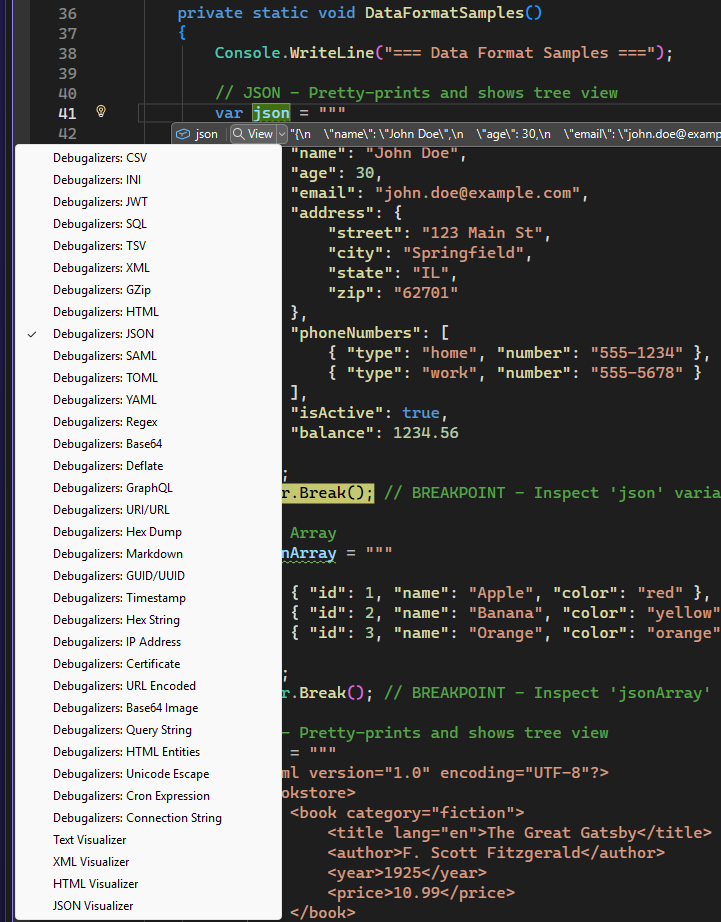
Choose from 30+ specialized visualizers
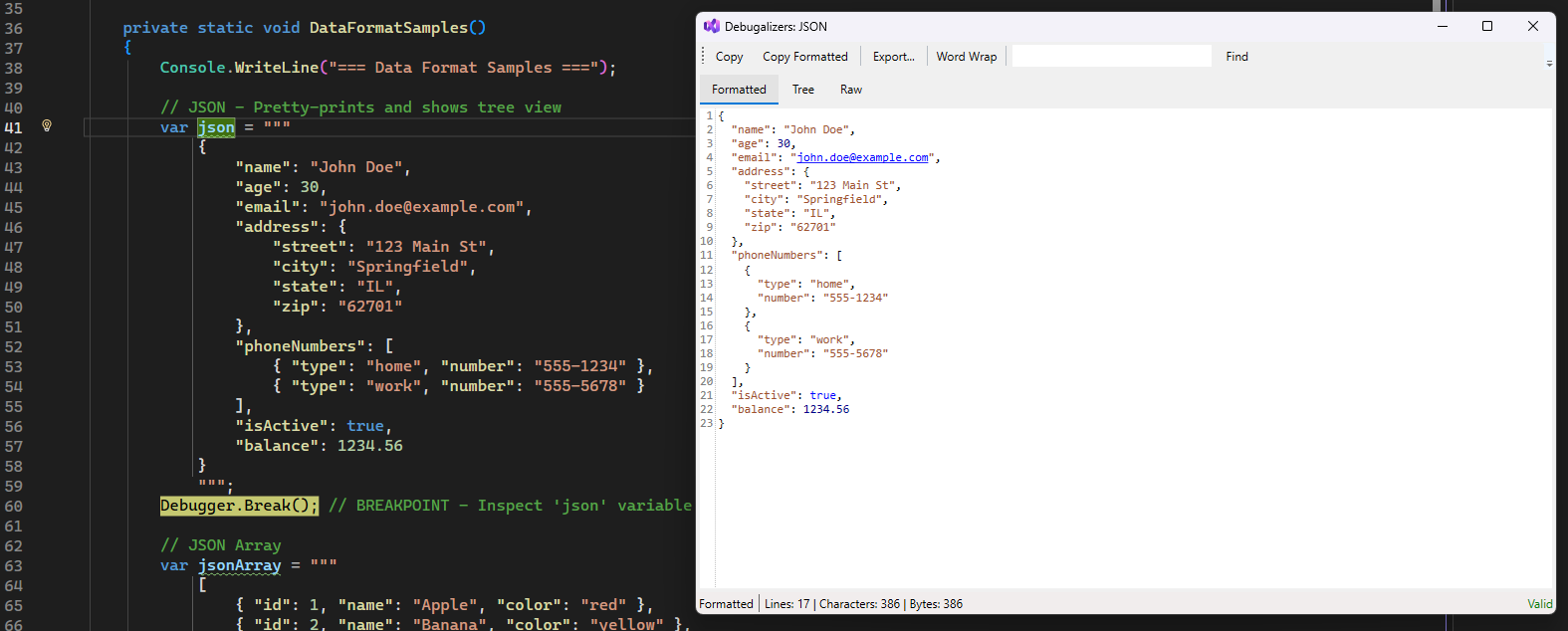
JSON - Formatted View |
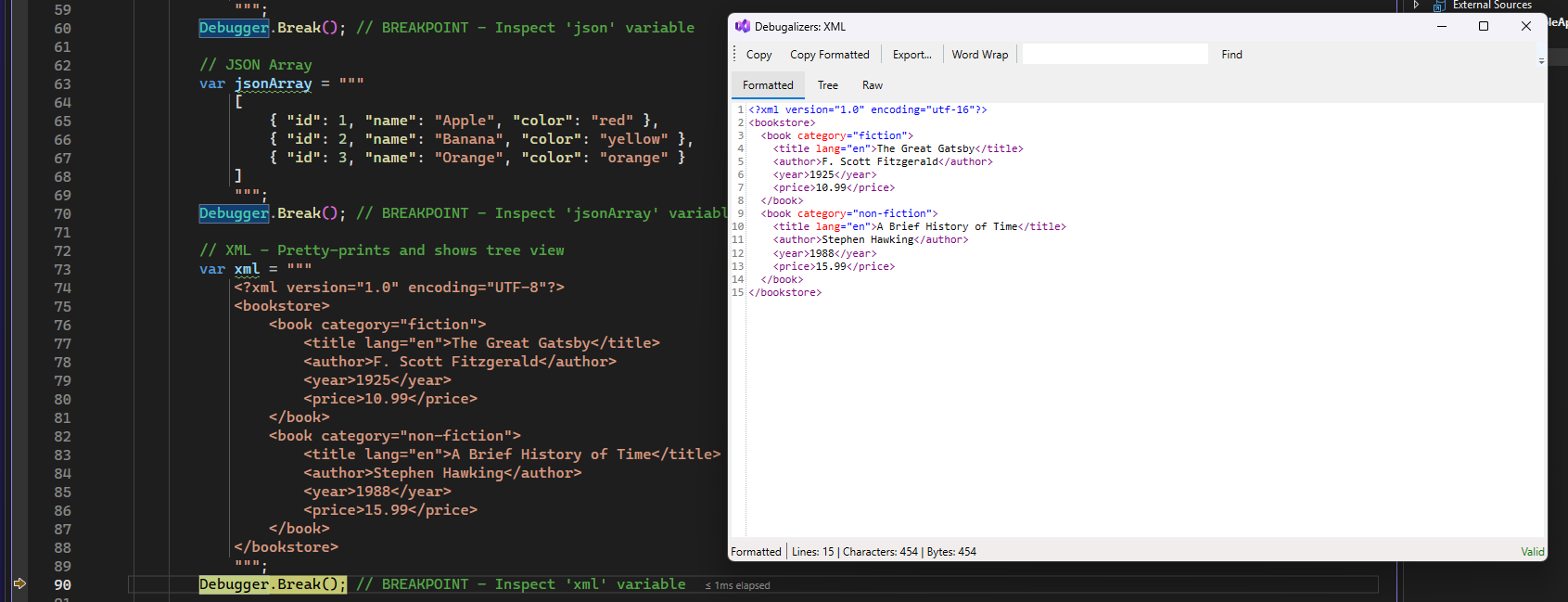
XML - Pretty Printed |
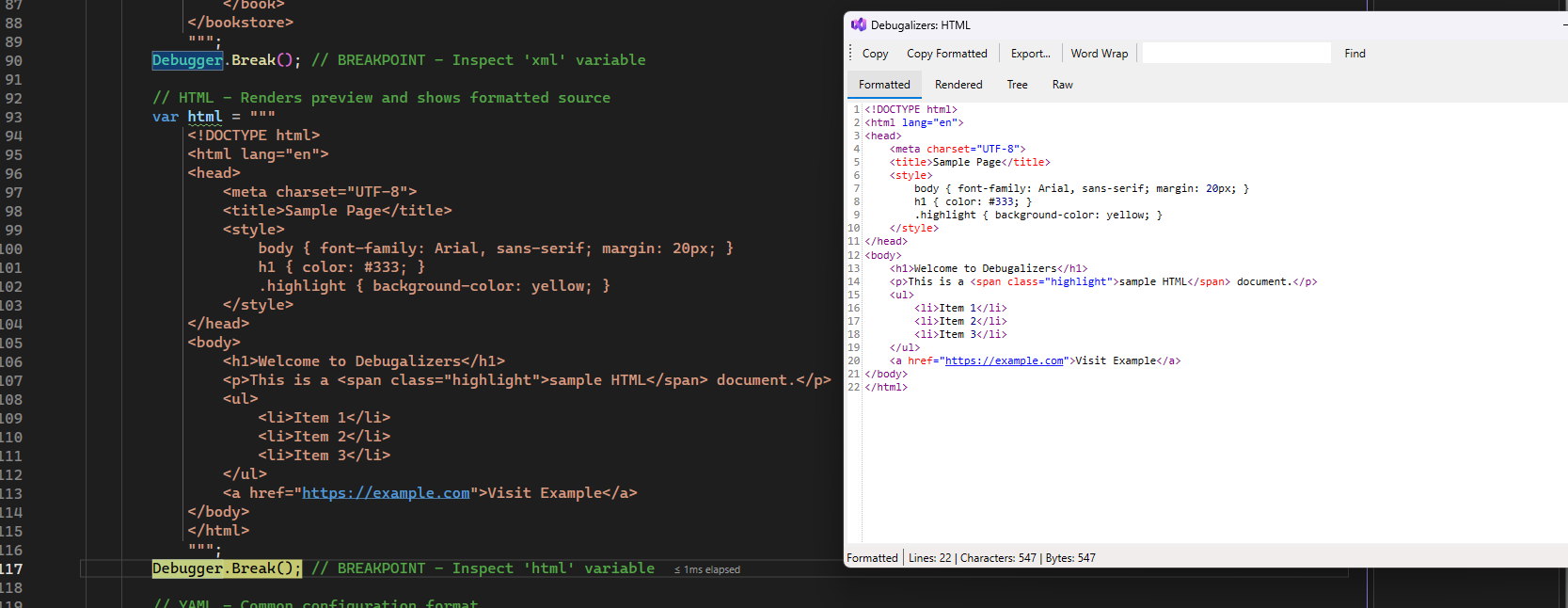
HTML - Formatted View |
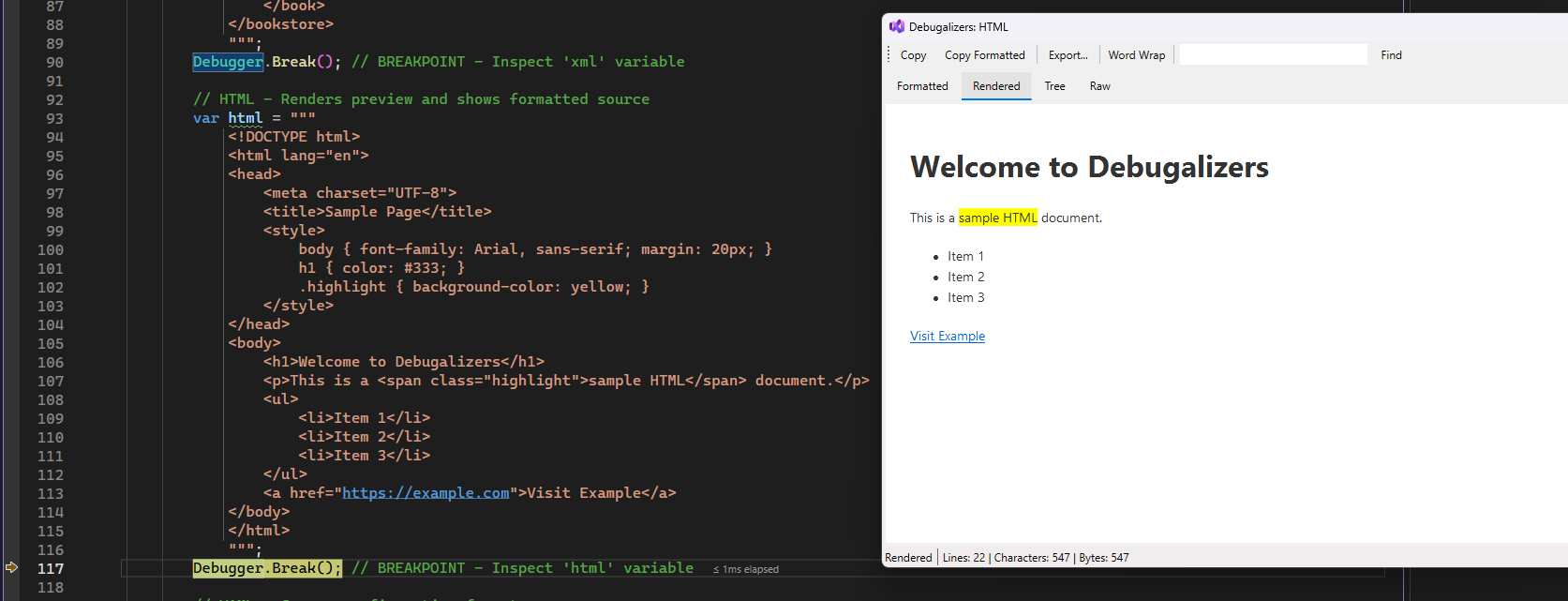
HTML - Rendered Preview |
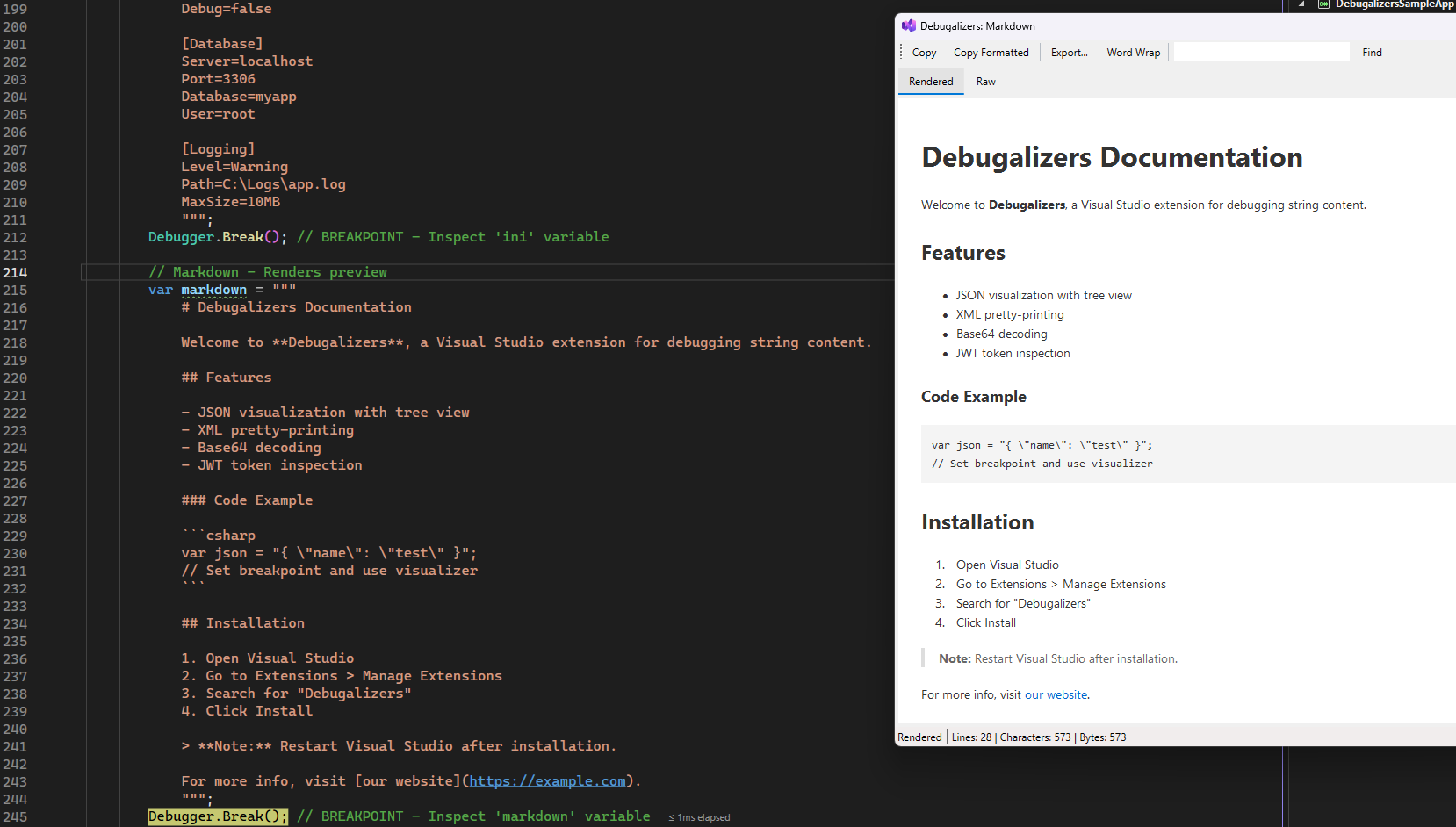
Markdown - Rendered Preview |
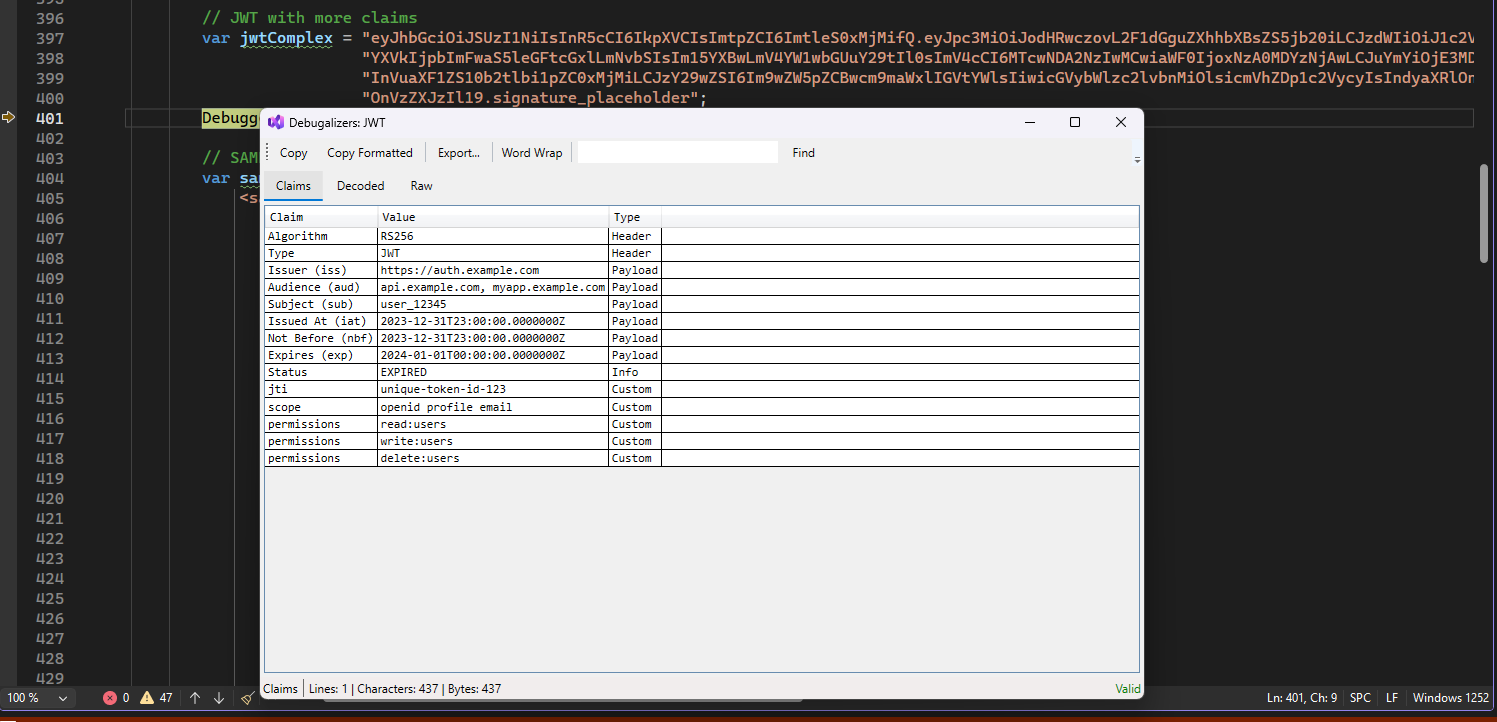
JWT - Claims Table |
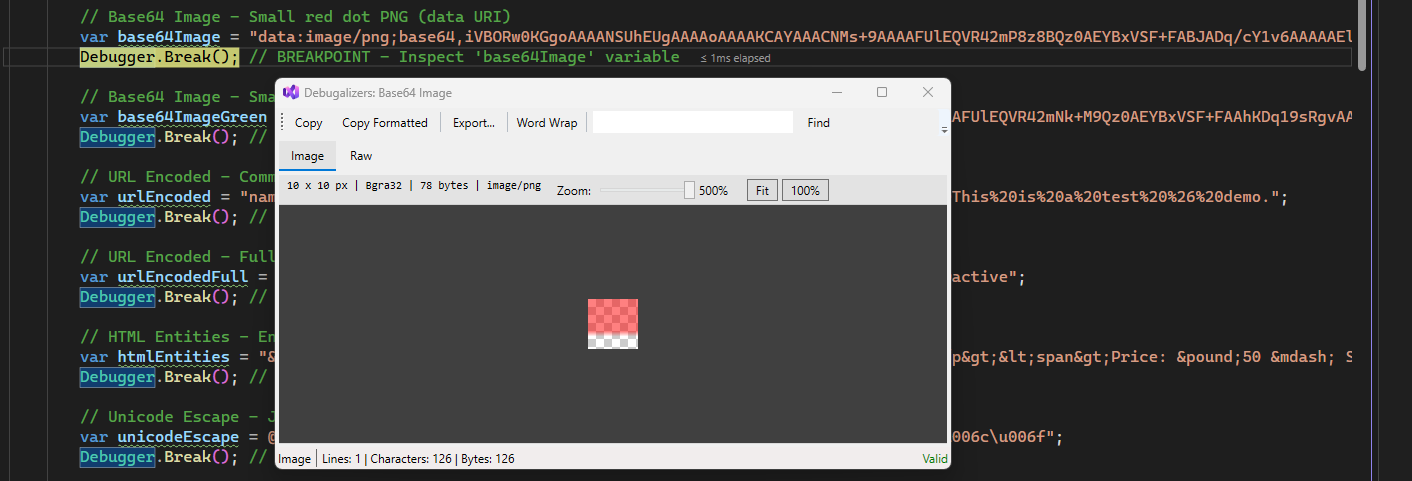
Base64 - Image Preview |
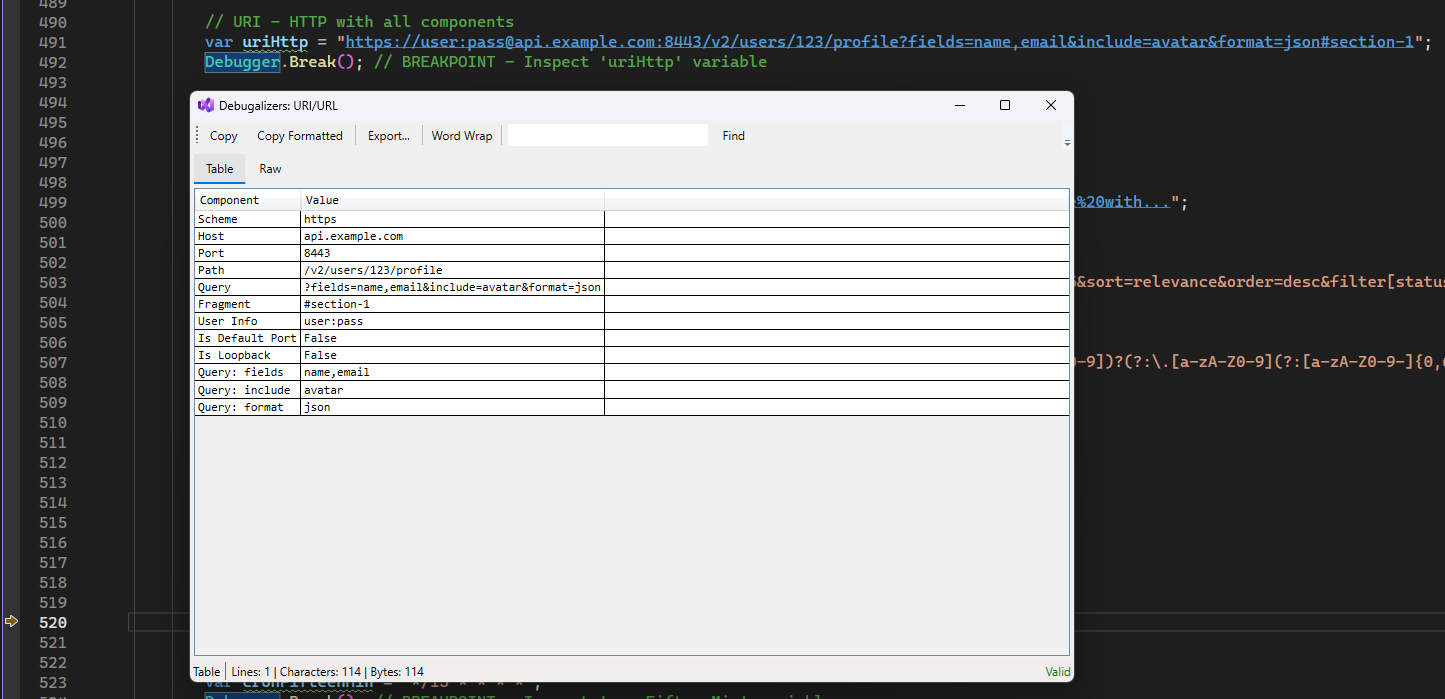
URI - Parsed Components |
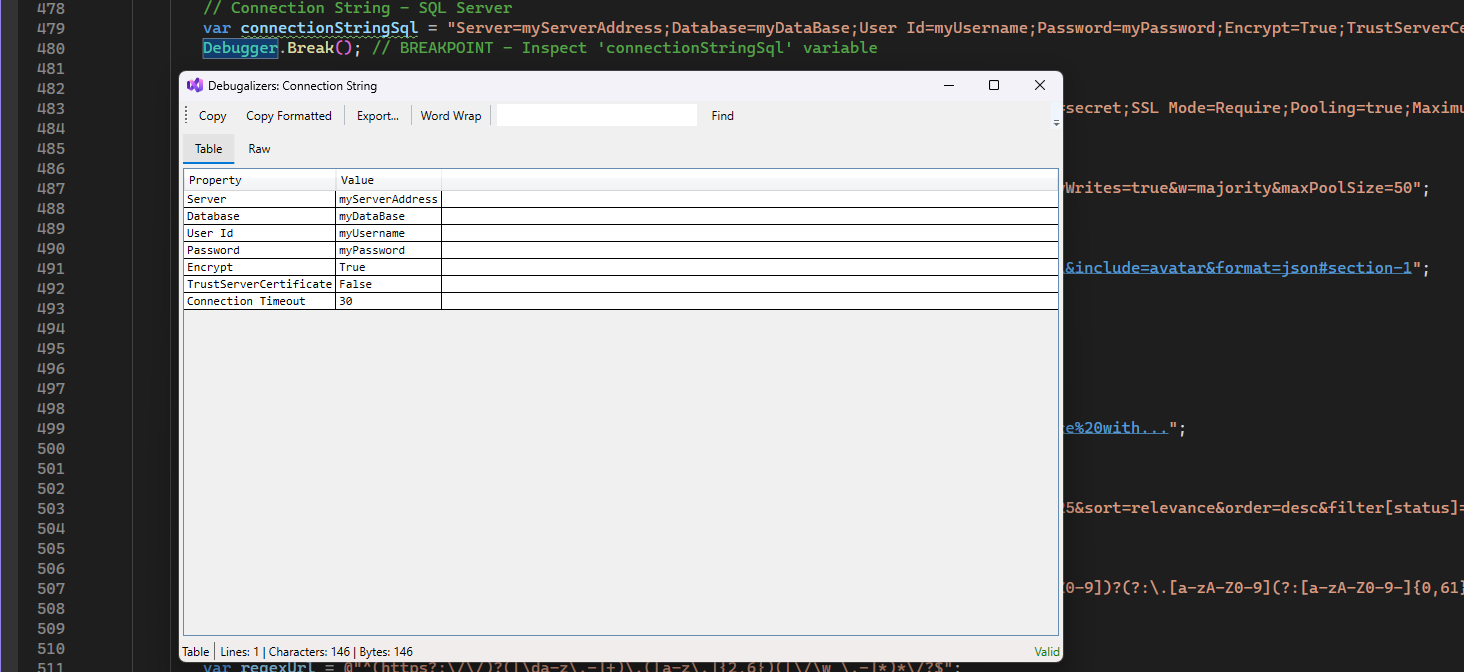
Connection String - Parsed Table |
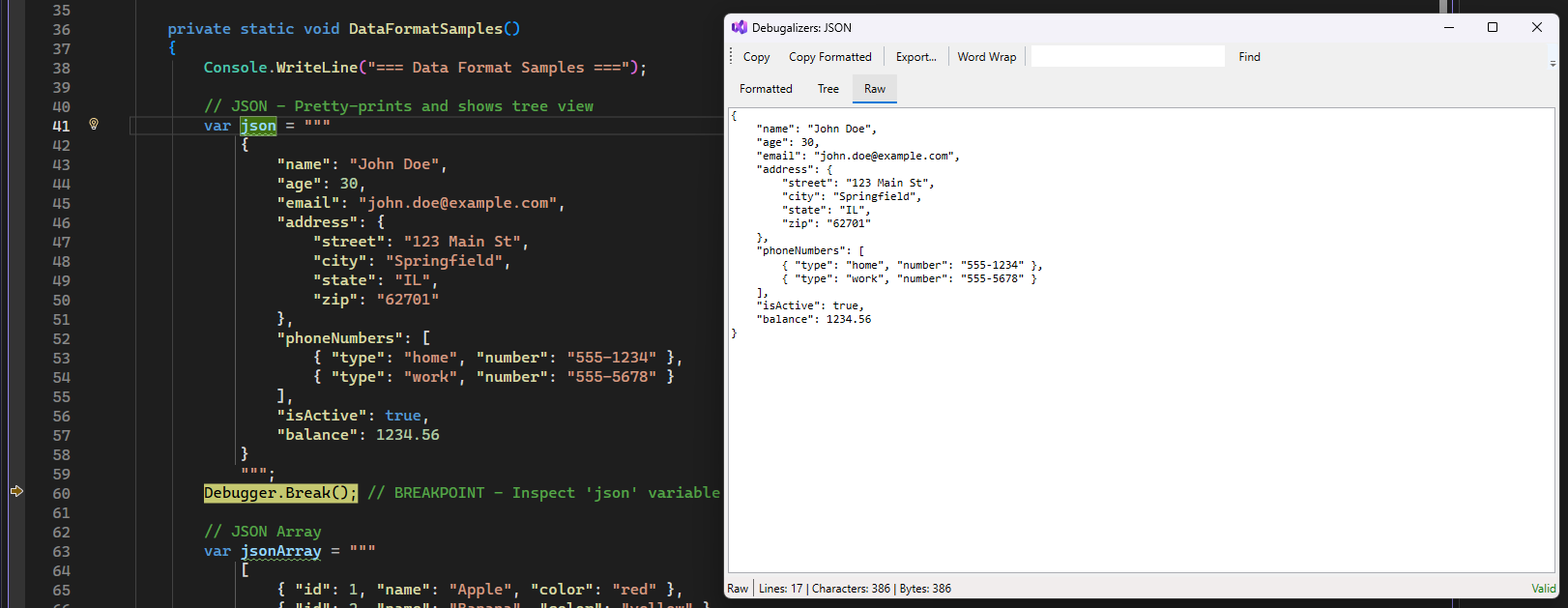
JSON - Raw View |
- 🎨 30+ Visualizers - JSON, XML, JWT, Base64, images, and many more
- 🌳 Multiple Views - Raw, Formatted, Tree, Table, Hex, Rendered, and Image
- 🖌️ Syntax Highlighting - Beautiful code highlighting via AvalonEdit
- 🔎 Search - Find text within large content (Ctrl+F)
- 📋 Copy & Export - Copy raw/formatted content or export to file
- 🖥️ Multi-Architecture - Supports both x64 and ARM64 systems
| Visualizer | Description | Views |
|---|---|---|
| JSON | API responses, config files | Formatted, Tree, Raw |
| XML | SOAP, config, SVG | Formatted, Tree, Raw |
| HTML | Web content, email templates | Formatted, Rendered, Tree, Raw |
| YAML | Docker, K8s, CI/CD configs | Formatted, Tree, Raw |
| TOML | Rust configs, pyproject.toml | Formatted, Tree, Raw |
| CSV/TSV | Tabular data exports | Table, Raw |
| INI | Legacy config files | Formatted, Table, Raw |
| Markdown | Documentation strings | Rendered, Raw |
| SQL | Database queries | Formatted, Syntax Highlighted, Raw |
| GraphQL | API queries | Formatted, Syntax Highlighted, Raw |
| Visualizer | Description | Views |
|---|---|---|
| Base64 | Decode text from Base64 | Decoded, Hex, Raw |
| Base64 Image | Embedded images (data:image/...) | Image Preview, Raw |
| URL Encoded | Query strings, form data | Decoded, Raw |
| HTML Entities | & → &, < → < |
Decoded, Raw |
| Unicode Escape | \u0041 → A |
Decoded, Raw |
| Hex String | 48656C6C6F → Hello |
Decoded, Hex, Raw |
| GZip/Deflate | Compressed payloads | Decompressed, Raw |
| Visualizer | Description | Views |
|---|---|---|
| JWT | Decode header, payload, expiry | Claims Table, Decoded, Raw |
| SAML | Decode assertions | XML Tree, Claims, Raw |
| X.509 Certificate | PEM/DER certificates | Details Table, Raw |
| Visualizer | Description | Views |
|---|---|---|
| Connection String | DB/service connections | Parsed Table, Raw |
| URI/URL | Full URL parsing | Parsed Parts, Query Params Table |
| Query String | ?foo=bar&baz=qux |
Key-Value Table, Raw |
| Regex | Pattern visualization | Pattern Breakdown, Raw |
| Cron Expression | Schedule expressions | Human Readable, Next Runs |
| Visualizer | Description | Views |
|---|---|---|
| Hex Dump | Binary data as hex | Hex + ASCII |
| GUID/UUID | Format and version info | Formatted, Details |
| Timestamp | Unix epoch conversion | Human Readable, UTC/Local |
| IP Address | IPv4/IPv6 details | Formatted, CIDR Info |
- Open Visual Studio 2022 or 2026
- Go to Extensions > Manage Extensions
- Search for "Debugalizers"
- Click Download and restart Visual Studio
Download the latest .vsix from the Releases page and double-click to install.
- Set a breakpoint where a string variable is in scope
- When the debugger hits the breakpoint, hover over the variable
- Click the magnifying glass icon in the DataTip
- Select the appropriate visualizer (e.g., "Debugalizers: JSON")
- The visualizer window opens with beautifully formatted content!
Select a visualizer from the list
| Shortcut | Action |
|---|---|
Ctrl+F |
Search within content |
Escape |
Close visualizer window |
| Button | Action |
|---|---|
| Copy | Copy raw content to clipboard |
| Copy Formatted | Copy formatted content to clipboard |
| Export | Save content to a file |
| Word Wrap | Toggle word wrapping |
- 💻 Visual Studio 2022 (17.8) or later
- 🔧 .NET Framework 4.8
| Component | Technology |
|---|---|
| Syntax Highlighting | AvalonEdit |
| JSON Parsing | Newtonsoft.Json |
| YAML Parsing | YamlDotNet |
| TOML Parsing | Tomlyn |
| JWT Decoding | System.IdentityModel.Tokens.Jwt |
| Markdown Rendering | Markdig |
| Cron Parsing | NCrontab |
| CSV Parsing | CsvHelper |
Contributions are welcome! Whether it's bug reports, feature requests, or pull requests - all feedback helps make this extension better.
- Clone the repository
- Open the solution in Visual Studio 2022 or 2026
- Ensure you have the "Visual Studio extension development" workload installed
- Press F5 to launch the experimental instance
This project is licensed under the MIT License - see the LICENSE file for details.


Made with ❤️ by Coding With Calvin
