
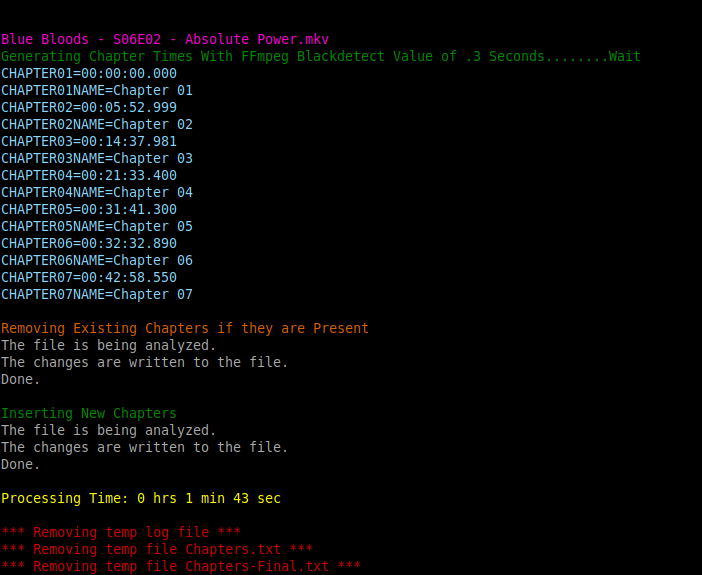
mkvpropedit & ffmpeg are required
Auto generate MKV chapters using FFmpeg BlackDetect filter
Works best with TV Shows that have had commercials stripped out and leave a noticable black screen. 1/2 hour shows typically produce 4 or 5 chapters marks. 1 hour shows maybe 8 or 9 chapters.
FFchap [OPTIONS] <file.mkv | directory>
You can pass a single MKV file or a directory containing MKV files as the argument. If a directory is given, all .mkv files inside will be processed.
-s Detect duration threshold (default: .5s) -m Detection method: black | silence | scene (default: black) --skipchap Skip files that already have chapters -h Show this help
By default, existing chapters are overwritten. Use --skipchap to skip files that already have chapters.
Default (uses blackdetect, 0.5s): FFchap "Show - S01E01.mkv"
Custom blackdetect value: FFchap -s 1.5 "Show - S01E01.mkv"
Process all MKVs in a directory, skipping files with chapters: FFchap --skipchap /path/to/dir
mkvpropedit & ffmpeg are required.
Target files are NOT re-encoded and mkvpropedit is instantaneous. 720p files are processed reasonably quick (<1 min), 1080p is noticeably longer.